Choosing the right Storage Solutions for a business is less about finding one perfect product and more about matching space, access, and protection to daily needs. A retailer with seasonal stock may need adjustable shelving and clear aisles. A professional office may prioritize secure cabinets for records, while a growing company could need off-site space for equipment or archived materials. The details matter.
Cost matters, too. But the cheapest option can create extra handling, wasted floor space, or delays when staff cannot find what they need. Compare the full picture: usable capacity, loading access, security, environmental conditions, insurance requirements, and room to expand. Ask how often items will be retrieved and who needs permission to reach them. Small operational questions often reveal the best fit.
There is no universal winner. On-site storage keeps frequently used goods close, while external facilities can free valuable workspace. Modular shelving, pallet racking, lockers, and document storage each solve different problems. For digital files, cloud or local systems introduce separate questions about backups, access, and recovery. Keep those needs distinct.
A practical assessment should begin with an inventory, measurements, and a realistic budget. Then compare providers and inspect the actual space or equipment, not just photographs. Check the contract details. Revisit the choice as stock, staffing, and workflows change; a solution that worked last year may now cause friction. That is worth admitting. Storage planning is rarely perfect on the first attempt, but careful review helps businesses choose a safer, more efficient option.
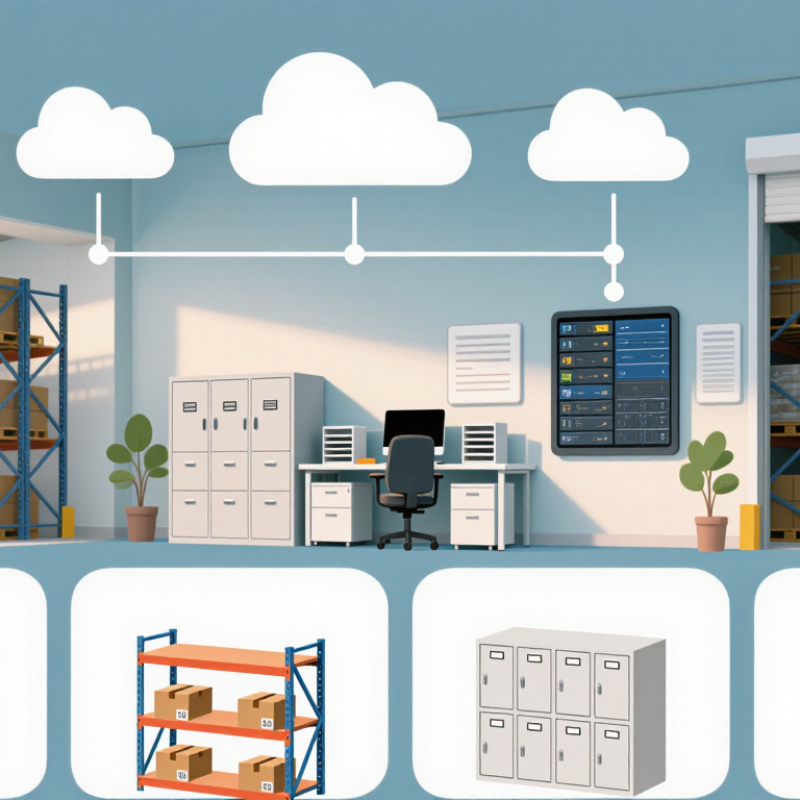
Business Storage Types: Compare DAS, NAS, SAN, Cloud, and Hybrid
What Is the Best Type of Storage Solution for Businesses?
DAS keeps data attached to one server, making it simple and fast for a small team. NAS serves shared files over a network, while SAN provides block storage for demanding databases and virtual machines. Cloud storage adds elastic capacity without local hardware, but access costs and network delays need attention. Hybrid combines local systems with cloud services. No option wins everywhere.
Flexera’s 2024 State of the Cloud Report found that 89% of surveyed organizations used multicloud, and 73% had a hybrid-cloud strategy. These figures describe adoption, not proof that every workload benefits. Synergy Research Group estimated cloud infrastructure service spending reached about $330 billion in 2024. The growth signals broad investment, but it does not make cloud storage automatically cheaper for frequently accessed data.
For a small office with shared documents, NAS may be enough; a database needing predictable low latency may justify SAN. DAS can suit a standalone workstation, while cloud helps with remote access, backup, and uneven demand. Hybrid can keep active data nearby and retain less-used copies off-site. That sounds tidy. Operations are messier: teams must test restores, track egress fees, and decide who owns access reviews. I would compare three years of capacity, performance, and recovery costs before choosing. A spreadsheet will not catch every surprise.
Business Storage Types: A Practical Comparison
Illustrative fit ratings (1–5) for common business priorities—not benchmark measurements. Higher scores indicate a stronger typical fit; actual results depend on workload, configuration, and costs.
DAS offers direct access and straightforward performance for a single system. NAS provides shared file storage, while SAN is designed for high-performance shared block storage and usually requires more specialized management. Cloud storage can scale on demand, with costs and performance shaped by usage and connectivity. Hybrid storage combines local and cloud resources, offering flexibility but adding management complexity.
Assess Workloads: Measure Capacity, IOPS, Latency, and Growth
When evaluating storage, measure actual workloads rather than relying on headline capacity. Track how much data is active, how quickly it grows, and which files must stay immediately available. A finance team may keep years of records, while a design group repeatedly opens large project files. The same capacity can feel very different.
IOPS and latency show how storage responds under pressure. Record read and write activity during ordinary work and peak periods, such as morning logins or month-end processing. Low latency matters for databases and virtual desktops, where even brief pauses disrupt tasks. IOPS matters when many small requests arrive at once. Numbers need context. A short benchmark may miss the afternoon rush. Watch the peaks.
Growth deserves its own estimate. Compare monthly data increases with retention needs, backup copies, and temporary project files. Then test whether performance remains acceptable as capacity fills; this is easy to overlook. Forecasting is imperfect, so leave room for uncertainty and review measurements after major workflow changes. A spreadsheet and a few weeks of monitoring can reveal more than a guess—but not everything. Ask staff where delays occur, and verify their reports against system metrics before choosing a storage design.
Compare Cloud Durability: AWS S3 Targets 99.999999999% Object Durability
An object-storage durability target of 99.999999999% sounds almost absolute. It represents a design target, not a guarantee that any individual file is invulnerable. At that rate, the modeled loss is roughly one object per 100 billion objects annually, subject to the service’s assumptions. That is a powerful benchmark. Still, durability describes stored objects, not every risk around them.
A misplaced permission, accidental deletion, or corrupted upload can outlast a disk failure. Picture a team restoring a project folder after someone overwrites its only copy: high durability alone will not bring back the earlier version. The 2024 Annual Outage Analysis from Uptime Institute reported that 54% of surveyed organizations’ most recent significant outages cost more than $100,000. That finding concerns outages, not object durability, but it shows why recovery planning matters. Check retention settings, test restores, and keep independent copies for critical records. The uncomfortable truth is that backup policies often look stronger on paper than they perform in a real restore test.
What Is the Best Type of Storage Solution for Businesses? — Comparing Cloud Durability Targets
| Storage solution |
Typical business use |
Durability and resilience |
Access and recovery |
Key consideration |
| Cloud object storage |
Documents, media, backups, archives, and other unstructured data |
Some providers publish durability targets as high as 99.999999999% for specific object-storage services or tiers. This is a service-specific target, not a guarantee shared by all cloud storage. |
Accessed over a network or API; retrieval speed and cost depend on the storage tier. |
Check the service’s durability terms, availability commitment, data-location options, retrieval fees, and recovery procedures. |
| Cloud block or file storage |
Virtual machines, business applications, shared files, and databases |
Resilience varies by service design, redundancy options, and configuration. There is no single durability figure that applies to every provider or deployment. |
Designed for ongoing application access; recovery options may include snapshots and replication. |
Snapshots and replication should be configured and tested; storage redundancy alone is not a complete backup plan. |
| On-premises disk or flash storage |
Low-latency workloads, local applications, and data that must remain on site |
Depends on drive reliability, system design, monitoring, and operating conditions. RAID can tolerate certain drive failures but does not protect against every cause of data loss. |
Fast local access; recovery depends on spare hardware, backups, and recovery processes. |
Plan for hardware failure, site-level incidents, maintenance, and independent backups. |
| Magnetic tape archive |
Long-term retention, offline copies, and infrequently accessed data |
Tape can support long-term retention when stored and handled correctly, but media condition, environment, and periodic integrity checks matter. |
Usually slower to retrieve than online storage; access may require locating and loading media. |
Maintain inventory, protect tapes from unsuitable conditions, and test restoration regularly. |
| Hybrid storage |
Businesses combining local performance with off-site backup or cloud capacity |
Can reduce exposure to a single failure domain when copies are independent; overall resilience depends on architecture and tested recovery procedures. |
Frequently used data can stay local while backup or archive copies are stored separately. |
Keep at least one protected copy separate from everyday systems, and verify that it can be restored. |
Note: Durability describes the likelihood of retaining data; availability describes whether it can be accessed when needed. Published targets are not interchangeable, and actual protection depends on the selected service, configuration, and recovery plan.
Plan Backup Protection: The 3-2-1 Rule Uses 3 Copies on 2 Media Types
For a business, a storage plan should protect working files without making recovery complicated. The 3-2-1 rule offers a practical baseline: keep three copies of important data, store them on two different types of media, and keep one copy off-site. The original files count as one copy. A second copy might sit on a separate local storage device, while a third is stored at another location or in a remote storage service.
Different media reduce the chance that one failure will erase every copy. For example, a company might keep daily files on a server, backups on removable drives, and an additional copy in a separate facility. Keep the removable drives disconnected when not in use. That small step can help limit damage from power faults or accidental deletion.
Still, three copies are not useful if nobody can restore them. Test a sample file regularly, then rehearse recovery of a whole folder.
It takes time. Teams often postpone these checks, and that is an uncomfortable weakness in many plans. Set retention periods, restrict access, and record who verifies each backup. The right schedule depends on how much recent work the business can afford to lose.
Select the Best Fit: Balance Security, Scalability, Availability, and Cost
Choosing business storage means balancing four things: security, scalability, availability, and cost.
The 2024 State of the Cloud Report found that 89% of surveyed organizations used multiple cloud environments, reflecting the need to support changing workloads. Yet spreading data across systems can complicate access controls and recovery. The 2024 Cost of a Data Breach Report estimated the global average breach cost at $4.88 million. Security deserves a place in the budget, not as an afterthought. There is no flawless option; teams can also overbuy capacity they rarely use.
Match the storage type to the work. Fast, frequently accessed records may need low-latency storage, while archived files can often sit in a lower-cost tier. Check recovery time and service availability against real business needs: a delayed sales dashboard is inconvenient, but an unavailable transaction system may stop operations. Cloud storage can scale quickly, while on-premises systems offer closer control. Hybrid designs can bridge both, though they add management overhead.
Tips
List critical applications, estimate monthly growth, and test restoring a sample backup. Compare total costs, including retrieval, network transfer, support, and spare capacity. Review permissions regularly.
One overlooked detail: a backup that has never been restored is only an assumption.
Conclusion
Choosing the best Storage Solutions for a business starts with understanding how its data is used. Direct-attached storage can suit individual servers, while network-attached storage offers shared file access. A storage area network can support demanding workloads, and cloud storage provides remote access and flexible capacity. Hybrid systems combine local and cloud resources. Compare these options by measuring current capacity, input/output operations per second, latency, and expected growth rather than relying on storage size alone.
Durability, protection, security, availability, and cost also matter. Some cloud object-storage services target durability as high as 99.999999999%, but businesses should assess service terms and recovery needs. A practical backup plan follows the 3-2-1 rule: keep three copies of data on two different media types, with one copy stored separately. The best fit balances performance and dependable recovery with the organization’s budget, growth plans, and security requirements.

 Jinhui Storage Equipment